Ever tapped your phone on a payment machine to buy something? Or did you swipe a card to get in? Those actions are enabled by a technology called Near Field Communication, or NFC.
An NFC Reader is a device which allows compatible devices and cards to communicate with each other over a short-range. Today, this technology is used for contactless payments, access cards, product tags and digital networking.
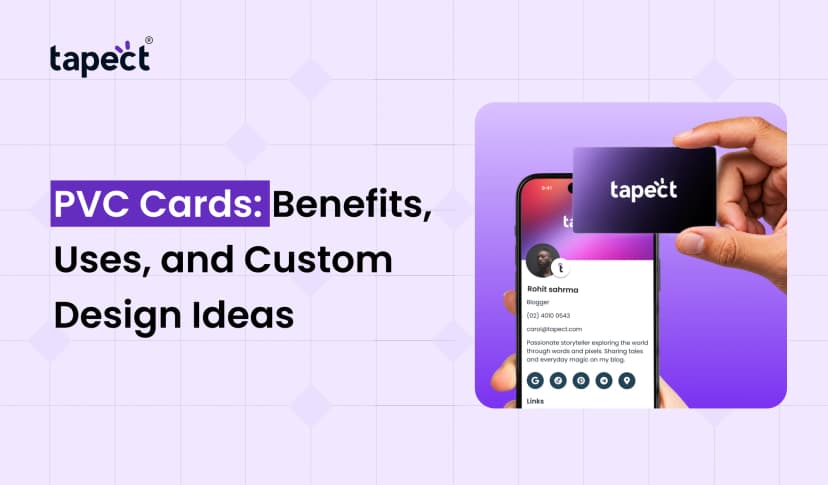
NFC also makes it easy for businesses and professionals to share contact information. Instead of depending on people to manually save your information, help them access your digital profile with a simple tap using an NFC business card from Tapect.
This guide will explain what an NFC reader is, how it works, where it is used and why it can be useful for everyday tasks.
What Is an NFC Reader?
An NFC Reader is a device or component that reads information from an NFC-enabled card, tag or compatible device in close proximity. NFC = Near Field Communication. It is a wireless protocol that enables two devices to transfer small amounts of data over a very short distance.
Most of the NFC interaction takes place at a few centimetres. The technology only works over a short distance, so it’s good for quick and simple things to do.
For example an NFC Reader can be used to:
- Read information stored on an NFC tag.
- Process contactless payments.
- Check access cards at office entrances.
- Open a website using an NFC tag.
- Help professionals share contact details through an NFC business card.
A NFC business card allows professionals to share their contact information.
Inside many modern smartphones is already an NFC reader. This means you might not need to buy another device to use NFC features.
How Does an NFC Reader Work?
An NFC Reader sends a short-range radio signal to another NFC chip that is compatible. When the two are close enough, they can share information.
This is typically how the process goes.
Step 1: Bring the Card or Device Close
Tap your NFC card, tag or compatible phone on the reader. They usually have to be within a few centimetres of each other.
Step 2: The Reader Detects the NFC Chip
The reader finds a compatible chip and begins to talk to it. Some NFC tags are powered by the radio field of the reader and don’t need batteries.
Step 3: Information Is Read
The chip contains the data or information that the reader gets. This can be a website link, a card id or other supported data, depending on the setup.
Step 4: An Action Takes Place
The information is used to complete a task. Your phone opens a website, a payment terminal processes a transaction or an access system checks an entry permission.
For example, if someone taps a Tapect NFC business card with a compatible smartphone, that phone can then open the digital profile linked to that card.
What Are the Main Types of NFC Readers?
There are different NFC readers for different jobs. Which one you choose depends on how you plan to use the technology.
1. Smartphone NFC Readers
Many Android phones and iPhones have NFC hardware built in. They can read supported NFC tags and do other NFC stuff depending on the phone model and software.
These readers can be used to open links, read tags and use compatible contactless services.
2. USB NFC Readers
USB readers plug into a computer or other supported device. They are used often in offices, businesses, testing environments and systems that need to read compatible NFC cards.
3. Contactless Payment Readers
These machines are in stores, restaurants, and other payment places. They allow contactless payments through phones or smartwatches and supported cards.
4. NFC Access Control Readers
These readers can be used by businesses and buildings to scan employee cards or other approved credentials before allowing entry.
These devices employ similar technology but are not always interchangeable. Compatibility depends on the reader, the card type, the supported standards and the software.
Common Uses of NFC Readers
NFC technology is useful in many applications. Here are some typical examples.
Contactless Payments
One of the most frequent uses is to pay without inserting a card or using cash. A compatible phone, smartwatch or bank card can talk to a payment terminal.
The payment system then performs its security checks and allows the transaction.
Business Networking
NFC business cards enable professionals to share contact details at meetings, conferences and business events.
Instead of asking someone to type a phone number or website, they can just tap the card to a compatible phone.
Advantages include:
- Faster contact sharing.
- Easy access to a professional profile.
- Links to websites and social media pages.
- Less need to print new cards when contact details change, if the linked profile can be updated.
Tapect helps you to network digitally. Tapect offers NFC-enabled business card solutions for professionals and businesses.
Office Access
Many workplaces have cards that use NFC technology to get into the building. Employees swipe their cards through a reader, which verifies their credentials against the access system.
Access to restricted areas is limited to users with the proper permission.
Product Information
Businesses can attach NFC tags to their products or packaging. Customers can tap a compatible phone to get product details, instructions, warranty information or a website.
This may make it easier to provide useful information without having to print long instructions on the packaging.
Marketing and Customer Engagement
NFC tags can link customers to landing pages, promotions, feedback forms, or other online resources.
For example, a business could attach an NFC tag to a display that, when tapped by a customer, takes them directly to a product page.
The outcome is dependent on the destination link, the user’s phone and the way the tag is configured.
Can an iPhone Read NFC?
Yes, many modern iPhones can read NFC tags. Features availability is iPhone model, iOS version and NFC task dependent.
Here’s what to remember if you’re wondering if an iPhone can read NFC:
- Compatible iPhones can read supported NFC tags.
- Some tags can open a website or other supported link automatically.
- Certain actions may require an app or an extra confirmation.
- Payment features and secure card functions follow their own requirements.
To test a compatible NFC tag, unlock your iPhone (if it’s locked) and bring the NFC reading area near the tag. Follow any prompt that appears on screen.
If you want an NFC business card, make sure the card is set up correctly and points to a working destination. When a tap succeeds, the digital profile associated with it can be opened with ease.
NFC Reader vs. QR Code: What Is the Difference?
NFC and QR codes both provide a means for people to access digital information, but they do so in different ways.
NFC:
- Shares information with a compatible device when held near a tag or card.
- User usually doesn’t need to open the camera.
- Works well with tap based networking.
- Requires compatible NFC hardware and properly configured tag or card.
QR code:
- Uses a phone camera or QR scanning feature to read a printed or displayed code.
- Works on a wide range of smartphones.
- Can be printed on cards, posters, packaging, and signs.
- Requires the code to be visible and clear enough to scan.
For business networking, Tapect users may want to consider combining NFC and QR code access. NFC is a quick tap and a QR code is another way to access the same digital profile.
What Are the Benefits of Using an NFC Reader?
Many routine tasks can be speeded up and simplified by an NFC Reader.
1. Quick Data Sharing
Users can retrieve supported information without having to enter long URLs or manually enter contact details.
2. Easy to Use
Most NFC interactions can be performed with a quick tap or near contact of compatible devices.
3. Supports Digital Networking
NFC business cards can help professionals to share contact details, portfolios and business links.
4. Useful for Different Industries
Retailers, offices, event organisers and service providers can use NFC technology for a variety of purposes.
5. Less Paper for Some Tasks
Digital profiles and reusable NFC cards can reduce the need for printing replacement cards when information changes.
6. Better Customer Experiences
A well configured NFC tag can give customers quick access to useful information, making it easy to learn about a product or business.
Are NFC Readers Safe to Use?
NFC is designed for short-range communication, but short range doesn’t mean secure.
The amount of protection depends on how the system is built and the information it handles. For example, payment systems have added security, while a basic NFC tag might merely link to a public website.
Remember these safety tips:
- Check links before opening them.
- Use trusted payment systems and approved cards.
- Do not store passwords or sensitive personal information on basic NFC tags.
- Use suitable access controls for employee cards.
- Keep your phone’s software updated.
The NFC Reader only reads and communicates with supported data. It doesn’t automatically mean every action is safe.
How Does Tapect Use NFC Technology?
Tapect provides digital business cards enabling professionals to share their contact details via NFC and digital profiles.
A Tapect NFC business card can make networking easier and also allow people to connect with your business online.
Depending on the card and profile configuration, you may have:
- Your name and job title.
- Phone number and email address.
- Company website.
- Social media profiles.
- Other professional links.
A digital profile also makes it easier to give people a one-stop shop for your contact information. Test it with compatible phones before using your card at an event so the right profile opens.
Want to make networking a breeze? Explore Tapect’s NFC business card options and discover the one that allows people to connect with you with a simple tap.
Frequently Asked Questions
1. What is the purpose of an NFC Reader?
An NFC Reader reads or exchanges data with compatible NFC cards, tags & devices. Common uses include contactless payments, office access, product information and digital networking.
2. Does every smartphone come with an NFC Reader?
No. Many modern smart phones have NFC, but support depends on model and software. Before buying an NFC card or tag, check your phone’s specifications.
3. Does NFC Reader work with NFC business card?
Yes, an NFC business card configured correctly can communicate with a compatible smartphone or reader. The phone might bring up a website or digital profile linked to the card.
4. Do NFC Readers Require The Internet?
Sometimes not. You don’t need an internet connection to read basic information from an NFC tag. However, to be able to open a website or online digital profile you will usually require access to the internet.
5. NFC vs QR code, which is better?
Neither is best for every situation. NFC has simple tap access and QR codes are camera-based and can be printed pretty much anywhere. Combining the two can offer people more ways to connect.
6. Can the iPhone be used as an NFC Reader?
Most modern iPhones can read supported NFC tags. Features available depend on model, iOS version and the type of tag or action.
Conclusion
NFC Reader Easily share information between compatible devices over a short distance. There are many practical applications for this technology from contactless payments and office access to product information and business networking.
A useful application of NFC technology is for professionals to use an NFC business card. It enables people to access contact details, and digital profiles without having to manually enter in information.
Upgrade your networking experience to the digital age and make sharing business information easier with Tapect.
Looking to improve your business networking? Tapect’s NFC business cards – The easier way to share your professional profile at the tap of a finger.

 24 Oct 2026
 Uncategorized