Sharing contact details should be quick and easy. But when you give someone a traditional paper card, they still have to type your phone number, save your email or search for your website. Sometimes they forget and the opportunity to connect is gone.
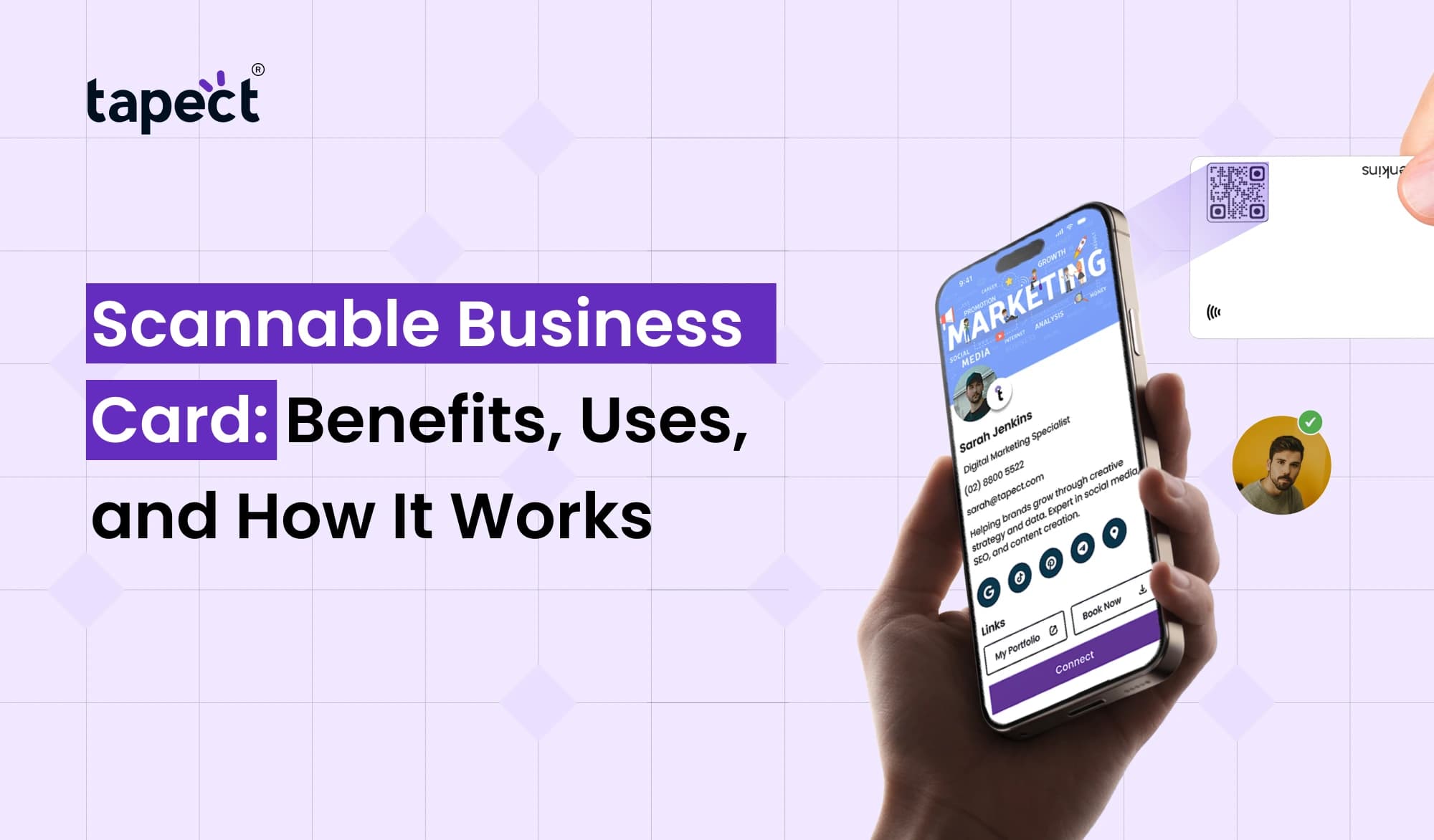
A Scannable Business Card makes that simpler. People can scan a QR code or tap an NFC enabled card with their smartphone and get your contact details within seconds. They can add your number, visit your website, look at your work or connect on social media.
It’s a useful way to make networking easier for professionals, business owners, freelancers and sales teams. In this guide we will explain how it works, explore its benefits and show you how Tapect can help you to share your details in a smarter way.
What Is a Scannable Business Card?
A Scannable Business Card is a new kind of business card that allows people to get your contact information by scanning a QR code or tapping an NFC chip with a compatible smartphone.
Rather than carrying all that information on paper, you can link your card to an online profile. When someone scans or taps it, they can see your name, phone number, email address, company website and other important info.
For example, you meet a potential client at a business event. You give them your card, they scan it to open up your profile. They can store your contact details immediately rather than having to type everything in.
One popular choice is a Scannable Business Card. Alternatively, there’s the NFC Business Card for those who prefer the tap-based sharing.
How Does a Scannable Business Card Work?
It’s easy to do and most people can do it without having to install an additional app.
1. Create Your Digital Profile
First, enter your basic information, e.g.:
- Full name and job title
- Business name and phone number
- Email address
- Website link
- Social media profiles
- Portfolio or booking link
A Digital Business Card gathers all this information in one place.
2. Add a QR Code or NFC Chip
Your card can be printed with a QR code linking to your contact information. If you choose a card with NFC then that chip can open the same profile if someone taps their phone against it.
3. Let People Scan or Tap
The other person scans the code with their phone camera or taps the NFC card to a phone that can read it. It will open the profile in their browser.
4. Share Your Information
If the profile allows downloading contact information, the recipient can view your profile, visit your website, contact you or save your details.
This makes a Scannable Business Card useful at meetings, trade shows, sales calls and networking.
Key Benefits of a Scannable Business Card
Networking can be more valuable when moving from paper only cards to a digital sharing option. Here are some benefits to consider.
1. Share Contact Details in Seconds
You don’t have to type in your phone number or email address by hand. One scan or tap gives them easy access to your information.
This can help save time when you meet several people at an event or talk to potential customers throughout the day.
2. Make a Strong First Impression
A new card shows you care about convenience and professional-ness in communication. A clean design, useful profile and simple sharing process can boost your business memory.
A Smart Business Card can help you stand out when other professionals are handing out ordinary paper cards.
3. Update Details Without Reprinting Cards
Updated your job title, phone number or website? If you have a digital profile connected, you might be able to update information without re-printing cards.
This will depend on the service you use. If the card has a fixed QR code on it that stores the details directly then changes may have to be made by generating and printing a new code.
4. Support Your Lead Generation Efforts
You can link your card directly to a product page, an inquiry form, a portfolio or a page to book an appointment. This provides a clear next step for potential customers once they have met you.
For example, a sales professional could link their card to a product catalogue, or a consultant could direct visitors to a free consultation form.
5. Reduce Paper Waste
A reusable digital profile can avoid having to print replacement cards anytime your information changes. Or you can print a card for those who prefer the physical option.
6. Make Your Brand Easier to Find
You can also add your website, social media accounts and business information to your profile. People can browse your services without having to search for your company name manually.
Different Uses of a Scannable Business Card
A Scannable Business Card benefits many industries. You don’t need to run a big company to get some use out of it.
For Business Owners
Business owners can list their company website, list of services, contact details and inquiry form. This simplifies the process for interested customers to take the next step.
For Freelancers and Consultants
Freelancers can attach their profile to work samples, client reviews, booking links and project details. It helps potential clients to understand their skills before starting a conversation.
For Sales and Marketing Teams
Cards can be distributed by sales teams at meetings, exhibitions and on visits to customers. Team members can each share their own contact information, and they can direct customers to a single product or service page.
For Job Seekers
Job seekers can connect their card to a resume, LinkedIn profile, portfolio or personal website. Recruiters can readily get more information about their experience and skills.
For Events and Conferences
Networking events often involve meeting a lot of people in a short period of time. A scannable card makes it easier to swap details than carrying a lot of paper cards.
QR Code Business Card vs. NFC Business Card
Sharing contacts is easier with both options, but they do it differently.
QR Code Business Card
A QR Code Business Card uses a printed code that people scan with their smartphone camera or a compatible QR scanning app.
Benefits primarily:
- Easy to print on paper cards, posters, and brochures
- Works with most modern smartphones that can scan QR codes
- Affordable to create
- Can link to websites, contact details, or landing pages
NFC Business Card
An NFC Business Card has a small chip that is read by a compatible smart phone when it is brought close.
The main advantages:
- Allows tap-based contact sharing
- Does not require the recipient to open their camera
- Can be reused when linked to an editable online profile
- Offers a modern networking experience
NFC support depends on phone and settings. A QR code can be a handy fallback for people who don’t have devices that support NFC or who prefer scanning.
If you’re a professional looking for a simple way to share your digital contact information, you might want to check out Tapect.
How to Create a Scannable Business Card
You can get started by following the steps that follow .
Step 1: Choose Your Sharing Method
Choose whether you want a QR code, an NFC-enabled card, or both. Think about your budget, your audience and how you usually meet customers.
Step 2: Prepare Your Contact Information
Add accurate details and remove anything that is no longer relevant. Test your website, email address and social links to make sure they work properly.
Step 3: Build Your Digital Profile
Use a digital card service to consolidate your information. Make your layout simple so visitors can easily locate your contact information and services.
Step 4: Connect Your Card
Generate a QR code that links to your profile, or configure your NFC card to take you to that same page.
Step 5: Test Before Sharing
Try scanning the QR code with several phones. If using NFC, try the card with compatible devices. Please make sure that the page loads correctly and the contact links work.
Step 6: Add a Clear Call to Action
Add a short instruction besides the code, e.g.
- Scan to Save My Contact
- Scan to View My Portfolio
- Tap to Connect
- Scan to Explore Our Services
These simple instructions tell people what to do next.
Tips to Get Better Results
Scannable business cards work best when people have a good reason to connect with you.
Remember these tips:
- Use a simple design: Avoid adding too much text or too many graphics.
- Make the code easy to scan: Choose a readable size and strong contrast.
- Link to a useful page: Send visitors to a complete profile rather than an unrelated homepage.
- Keep details updated: Review your phone number, website, and social links regularly.
- Offer a next step: Add a contact button, enquiry form, or booking link.
- Track results when possible: Dynamic QR code services may offer scan reports. Check what data is collected and whether the service includes tracking.
Track results where possible: Some dynamic QR code services offer scan reports. See what data is collected and if the service tracks anything.
Adding a Scannable Business Card to your email signatures, presentations, product packaging and event displays is easy, giving people more ways to reach you.
FAQs
1. What is a Scannable Business Card for?
It is used for sharing contact information, websites, social profiles, portfolios and other business details via a QR code or NFC chip.
2. Do I need an application to scan business cards?
Not really. Most modern smart phones come with a built-in camera that can scan QR codes. The phone’s compatibility and settings may also impact NFC sharing.
3. Can I update my digital contact information at a later date?
Yes, if your card is attached to an editable online profile. If you keep the original link you can update the profile without replacing the physical card.
4. QR code vs NFC tag – which is better?
Neither is always better. QR codes are easy to print and scan, and NFC cards are easy to share with a tap. Doing both gives recipients more choice.”
5.Will a scannable card help me generate more leads?
Yeah. It can direct potential customers to inquiry forms, product pages, booking links or service information. The quality of your offer and the post-scan experience are key to the results.
6. Is the scannable business card good for small businesses?
Yup. Freelancers, local service providers, startups, and small businesses can use it to share information and make it easier for customers to find them.
Conclusion
A Scannable Business Card is a convenient way to make professional networking easier. It also allows people to find your contact information, know about your services and contact you without typing any information.
Whatever you decide, a QR code, NFC chip or both, make sure your profile is clean, useful and easy to access. Test out your links, refresh your details and give visitors a clear reason to contact you.
Want an easy way to network? Check out Tapect and see how a modern digital business card can help you share your details, build professional connections and create more opportunities for your business.
 23 Oct 2026
 Business