It should be easy to exchange contact information. But traditional business cards can be lost, damaged or forgotten in a pocket. Imagine sharing your phone number, email, website and social media links with a single tap.
This is where a Digital Business Card NFC can come in. This brings together a physical card and technology in the digital space, making it easier to connect with clients, customers and other professionals.” No need to distribute multiple cards or type in contact info. Simply have someone tap your card on their smartphone and your digital profile will appear.
In this guide we will explain how this technology works, its main benefits and how you can use it to improve networking with Tapect.
What Is a Digital Business Card NFC?
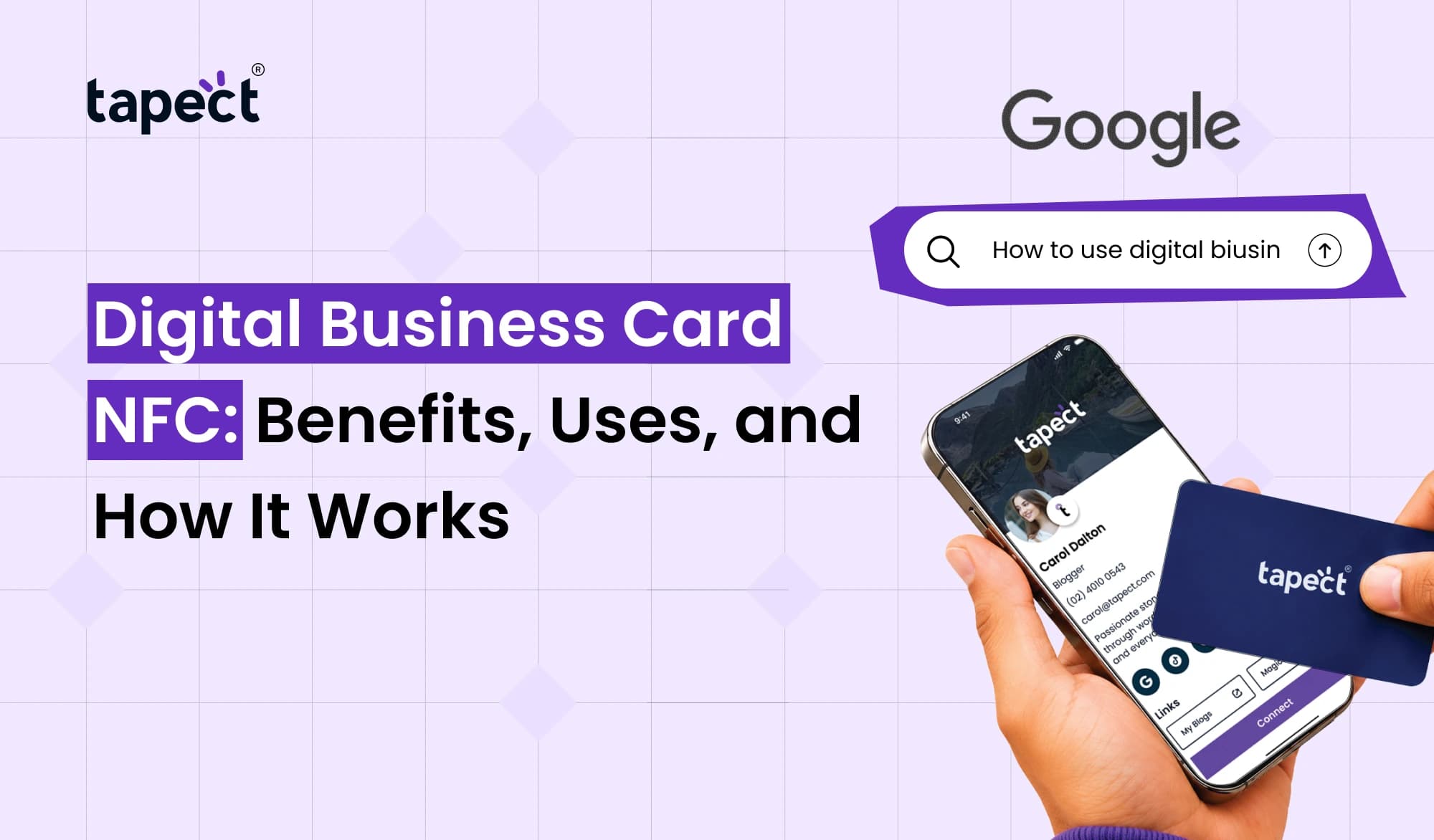
A Digital Business Card NFC is a wise networking device that uses Near Field Communication (NFC) technology to distribute contact information. It looks like a regular business card, but it normally has an NFC chip embedded inside it.
Tap the card on a compatible smartphone and your phone opens a link to your digital profile. This profile can contain your name, title, phone number, email address, website and social media accounts of your company.
Business card NFC solution makes it easier to share details because you don’t have to enter the information manually. Another option to access your profile is with a QR code.
Tapect allows professionals to create a modern networking experience and make their contact details more discoverable.
How Does a Digital Business Card NFC Work?
Even if you’ve never used an NFC product, you can use it easily.
1. Get Your NFC Card
Pick an NFC card that fits your personal or business brand. It could be a traditional card or you could opt for another material or design.
2. Create Your Digital Profile
Add details you want people to see such as:
- Your name and job title
- Phone number and email address
- Company name and website
- LinkedIn and other social media links
- Portfolio or booking page
3. Tap the Card Against a Smartphone
Hold the card close to the NFC reading area of a compatible phone. The phone will either open the linked profile or show a notification, depending on the phone’s settings and software.
4. Let the Person Connect With You
You can check the person details and can decide to save their contact details or go to their links. They usually don’t have to download a special app just to access a web-based profile.
The Digital Business Card NFC makes this process quick and convenient, especially at conferences, business events and meetings.
Top Benefits of a Digital Business Card NFC
Why are the professionals moving to smart cards over just printed cards? Here are some useful advantages.
1. Share Contact Details in Seconds
No more digging for a card or having someone type your number. One tap saves you both time and opens your profile.
This is handy if you have several clients in a short period.
2. Update Your Information Easily
Traditional cards become out of date when your phone number, job title or company details change. You might need to reprint a new batch.
With a digital business card, if the card points to an editable profile or link, you can edit the information on your linked profile without having to replace the physical Digital Business Card NFC.
3. Make a Better First Impression
A smart card is a great way to stand out at business meetings and networking events. It shows that you are ready to use modern tools to communicate with your customers.
A well-designed NFC business card also provides an easy way for people to explore your work after the meeting.
4. Reduce Printing Waste
When details change or supplies run out, printed cards have to be replaced. A reusable NFC card can cut down on the need to print again and again.
It’s a convenient choice for those who attend networking events and wish to reduce paper waste.
5. Share More Than a Phone Number
Not much room on a printed card. You can have a lot of useful links in your digital profile without cluttering up the physical card.
Consolidate your website, portfolio, booking page, social profiles and other business assets into one place.
6. Make Networking More Convenient
With an Digital Business Card NFC, it is simple for people to receive your contact details. They can visit your profile when they meet you and come back on it later.
This will help you to build more meaningful relationships with prospects, business partners and future clients.
Common Uses of NFC Digital Business Cards
This technology is useful for many kinds of professionals and business.
Business Owners and Entrepreneurs
It can be used by business owners to share company information, product pages, service information and contact links with potential customers.
Sales and Marketing Teams
Sales representatives can use smart cards in client meetings, product demos, and at trade shows. All the important links your customers need can be added in a single profile.
Freelancers and Job Seekers
Designers, developers, photographers and other freelancers can connect their card to an online portfolio. Job seekers can share their LinkedIn profile and examples of their work.
Real Estate Agents
Property agents can share listings, office details, contact information and appointment links through their profile.
Event Networking
Professionals meet many people in a short time at conferences and exhibitions. NFC cards are an easy way to share information without having to carry lots of printed cards.
NFC Card vs QR Code: Which Is Better?
You can open a digital profile with an NFC card or QR code.
You tap a compatible phone on an NFC card to make it work. How does QR code work Use a phone camera or QR scanner to scan the printed code .
Here’s a quick comparison:
- NFC card: Offers a simple tap-to-open experience.
- QR code: Works with a camera and does not require an NFC reader.
- Both together: Give people two ways to access your contact details.
For a more effortless experience, you may also want to look into a card that supports NFC and QR code sharing. That gives users a backup in cases where NFC is not available or doesn’t work on their phone.
How to Choose the Right Digital Business Card
Before you buy a smart card, think about what you want to do with it.
Search for features, such as:
- Easy profile setup: You should be able to add your contact details without a complicated process.
- Simple updates: Check whether you can edit your profile after receiving the card.
- Phone compatibility: Confirm that the card works with the smartphones used by your customers.
- QR code support: A QR code can provide an extra sharing option.
- Professional design: Choose a style that matches your company or personal brand.
- Useful profile links: Make sure you can share your website, social profiles, and other important details.
Tapect offers digital networking products to enable professionals to share their details in a convenient way. Pick a card and that fits your needs and your vision of customers.
Tips for Getting Better Results With Your NFC Card
The smart card is only the beginning. Use it to make yourself easy to contact.
- Keep your profile updated with your latest contact information.
- Add a clear profile photo or company logo when appropriate.
- Include a short introduction explaining what you do.
- Place your most important links near the top of your profile.
- Ask people if they would like to save your contact after tapping.
- Keep a QR code available as a backup sharing method.
- Test your card with compatible phones before attending an important event.
A Digital Business Card NFC is most effective when the profile behind it is useful, clear and easy to navigate.
FAQ’s
1. What is a Digital Business Card NFC?
It’s a smart card with an NFC chip that can access a linked digital profile on a compatible smartphone. The profile can show your contact details, website and social media links.
3. Do you need an app for NFC Business Cards?
Usually no. If the card opens a web-based profile, the recipient can usually see it on their phone’s browser, without having to install a special app.
3. Does an NFC card work with all smartphones?
Not all phones implement NFC in the same way. Most modern smartphones have NFC, but compatibility, settings, and location of the reading area may vary. A QR code is a good back-up.
4. Can I update my digital contact details at a later time?
Yes, if your card is linked to an editable profile. You can update the information online without printing a new card as long as the existing link stays linked to your profile.
5. QR code vs NFC card: Which one is superior?
Neither is better all the time. NFC provides tap-share, while QR codes provide camera-share. Both can give more flexibility for people.
6. Are digital NFC cards available for small businesses?
Yes. They’re for small business owners, freelancers, sales teams, consultants and service providers to share contact information and direct potential customers to their websites.
Conclusion
The NFC Digital Business Card is a practical tool for professional networking. It allows you to share contact details, websites, portfolios, and social media links with a simple tap. You can also update your linked profile, reduce duplicate printing and give your customers an easy way to contact you.
An NFC Card allows freelancers, business owners, salespeople, and growing companies to showcase their information in a modern way.
Ready to make networking easy? Discover Tapect and get a digital business card that matches your brand. Tap to share your details, grow more powerful professional connections and make every introduction matter.
 23 Oct 2026
 Business